Calendar
The Green Code Initiative exposes a public calendar with all its meetings. You can access it here.
Structure
Link-based access management
No account is necessary to see, edit or administer the calendar and its sub-calendars. Instead, everything is link-based.
Three links were initially generated:
If you have the admin link, you can administer the whole calendar!
| The public, read-only link is https://calendar.online/69d068943ef1b232261c. |
Tips for readers
Subscribing
You can copy different URLs to subscribe to iCalendar feeds.
Using the iCalendar feeds, you can import your events into other calendars such as Microsoft Outlook, Google Calendar, Thunderbird, or Apple iCal. Regardless of the access link, an iCalendar feed only allows read-only access.
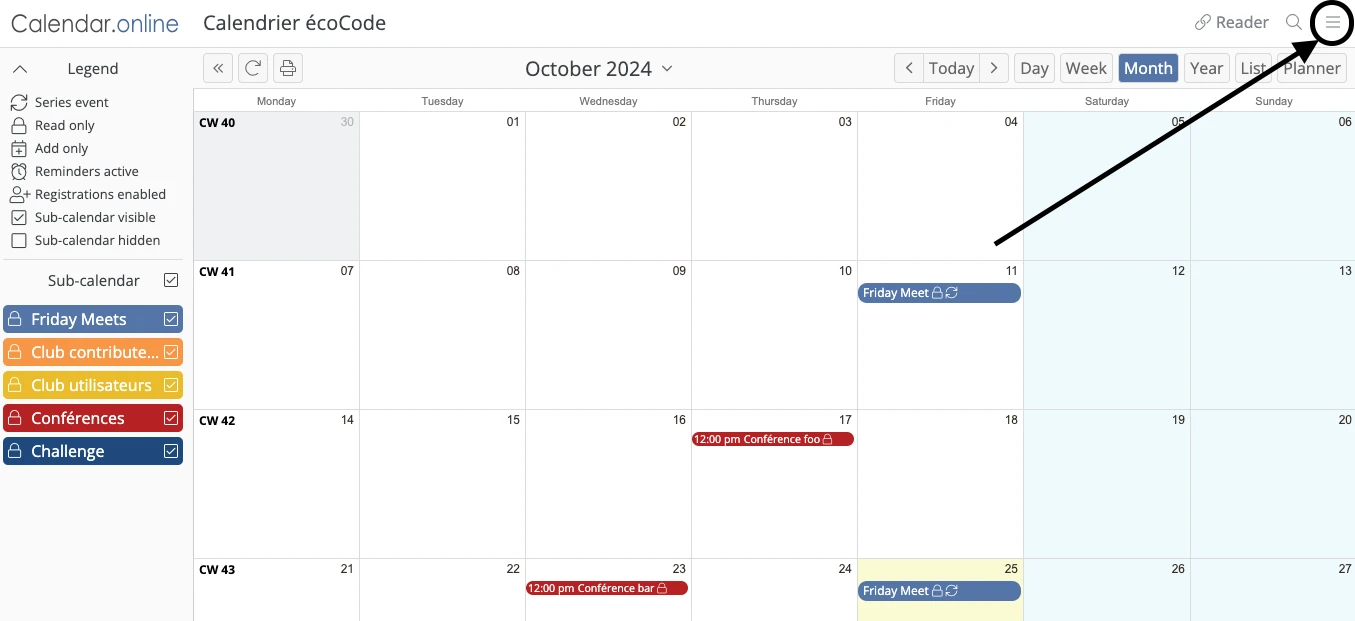
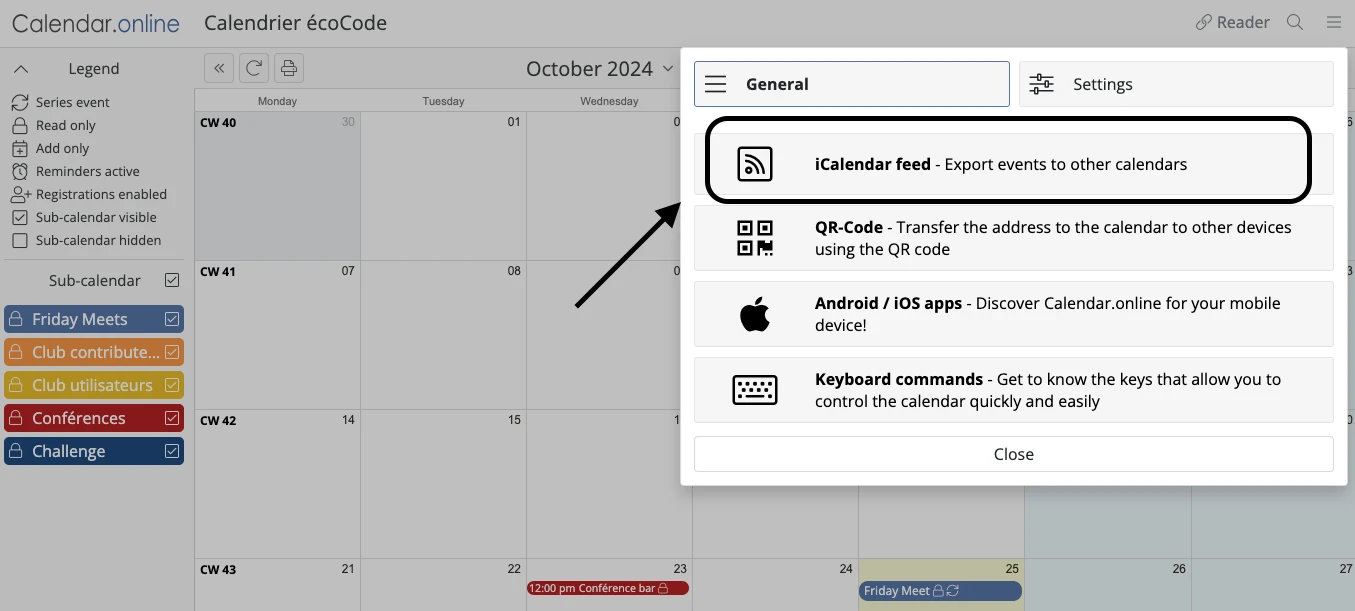
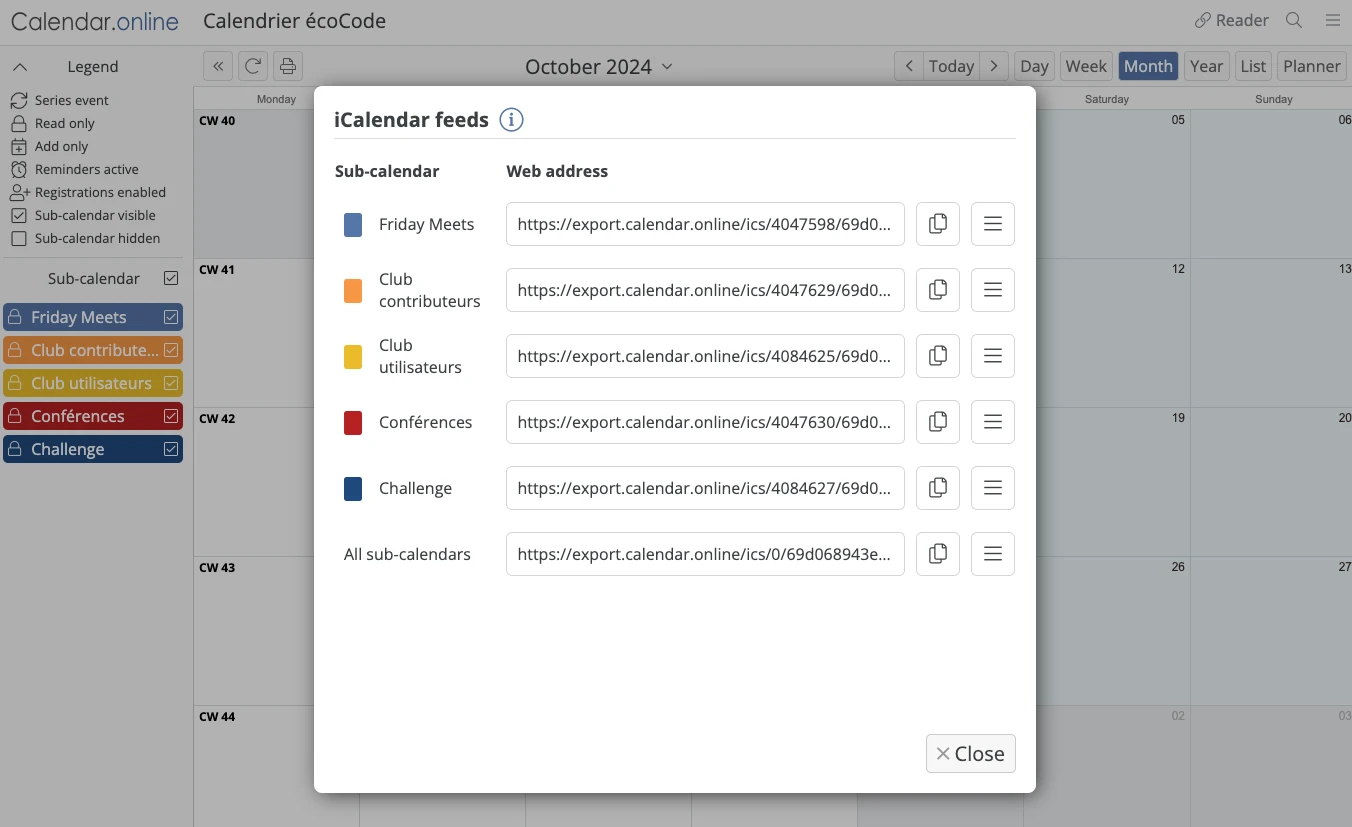
Option 1: Subscribing to only one sub-calendar
Just copy the URL next to the sub-calendar you want to subscribe to and create a new calendar with it in your own agenda tool.
Option 2: Subscribing to all sub-calendars so that they appear as a single calendar in your own agenda
Copy the URL next to the All sub-calendars options. When you’ll create the new calendar in your agenda, all the sub-calendars will appear as one (all events under the same color scheme).
➕ Pros:
|
➖ Cons:
|
Option 2 bis: Subscribing to all sub-calendars so that each sub-calendar appears independently in your own agenda
Just repeat "Option 1" for all the sub-calendars you want.
➕ Pros:
|
➖ Cons:
|
Tips for editors
-
It is a regular calendar tool so it is pretty straightforward.
-
Editors have the same edition rights for events as admins but cannot edit sub-calendars.